Server administration for businesses

Server administration.

We manage servers across on-premises, cloud and hybrid environments. We agree the configuration, maintenance and support tasks with your team, so the service reflects your infrastructure and operational requirements.

Discuss your server administration needs See how we manage your servers
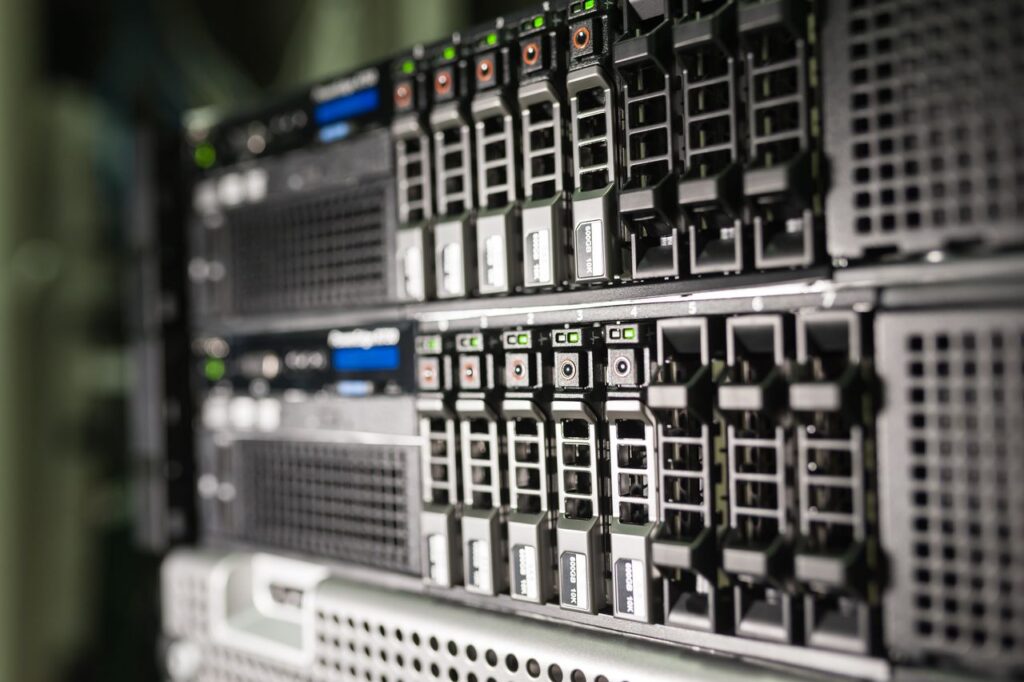
Close-up of storage equipment and servers

We plan server administration around routine maintenance, alert reviews and controlled changes. The scope takes account of your operating systems, applications and business continuity requirements, with responsibilities agreed with the people who manage the environment.

The administration scope depends on the infrastructure. Some businesses need support for Windows servers running Active Directory, DNS, file services or RDS. Others use Linux servers for web applications, databases, internal services, containers or automation.

We also administer virtual servers, cloud environments, machines in Azure, AWS or Google Cloud, private cloud servers, hybrid services and platforms connected to monitoring, backup or security tools.

Before taking on administration, we review the existing servers, their roles, critical services, dependent systems, backup arrangements, current monitoring and the risks that should be addressed first. This initial review establishes a shared understanding of the environment: which services the business relies on, who owns them and which operational tasks require attention. It also provides the context needed to prioritise maintenance and support work according to the agreed service responsibilities.

  • Windows Server: roles, services, users, permissions, Active Directory, DNS, RDS, IIS, files and events.
  • Linux: services, packages, users, permissions, SSH, cron, logs, processes, firewall, web services, databases and performance.
  • Virtual servers: virtual machines, resources, snapshots, storage, networking, performance and availability.
  • Cloud servers: administration of machines in Azure, AWS, Google Cloud or other cloud environments.
  • Monitoring: CPU, memory, disk, services, processes, logs, availability, alerts and key metrics.
  • Backups: backups, retention, errors, repositories, restoration, testing and recovery plans.
  • Security: updates, permissions, firewall, administrative access, hardening, auditing and exposure.
  • Migrations: service transfers, version upgrades, consolidation, cloud moves or modernisation.
  • Documentation: inventory, architecture, roles, dependencies, procedures and completed changes.

On Windows Serverservers, we can help administer roles, services, events, users, permissions, Active Directory, DNS, shared folders, IIS, RDS, updates, backups, performance and security.

We can also work with tools such as Windows Admin Center, PowerShell, Event Viewer, services, monitoring and specialist consoles according to the server role.

On Linuxservers are administered through services, users, permissions, SSH, packages, updates, logs, processes, storage, firewall, scheduled tasks, web servers, databases, containers where applicable and overall performance reviews.

We consider Windows and Linux together when they share an environment. Many businesses use both: Windows for identity, files or internal services, and Linux for web applications, databases, APIs, automation or cloud infrastructure.

Monitoring helps identify problems before they seriously affect the business. We review availability, CPU, memory, disk, services, processes, logs, events, networking, backups, certificates and critical applications.

Receiving notifications is only part of the work. Alerts need context: which server is affected, which service has failed, the business impact, the priority to assign and the actions that should be considered first.

Maintenance includes planned updates, resource clean-up, disk space reviews, service checks, log analysis, backup validation, performance checks and change documentation. These tasks reduce the risk of servers becoming poorly understood systems that are difficult to administer.

Server security involves several layers: updates, administrator accounts, permissions, firewall, exposed ports, logs, antivirus or EDR where applicable, backups, access control, encryption where appropriate and response procedures.

At Kloudeal, we review configurations that commonly create risk: shared passwords, excessive permissions, exposed services, unpatched systems, unvalidated backups, old accounts, accumulated snapshots, missing documentation or a lack of monitoring.

We also examine backup arrangements. A backup alone is insufficient if nobody checks that it completes successfully or can be restored. We therefore assess frequency, retention, errors, repositories, restoration tests and recovery dependencies.

We organise the work into the following stages, agreeing the activities, dependencies and checks for each one with your team. The plan reflects your existing systems and the scope set out for the project.

  1. Initial assessment: review of systems, roles, services, networking, storage, security, backup and performance.
  2. Inventory: servers, applications, dependencies, users, permissions, licences, documentation and criticality.
  3. Scope definition: included tasks, service hours, priorities, owners, access and support channels.
  4. Monitoring: availability, resources, services, logs, events, alerts, backups and key metrics.
  5. Maintenance: updates and checks on disk space, services, certificates, performance and scheduled tasks.
  6. Security: permissions, accounts, firewall, exposure, patches, hardening, auditing and good practice.
  7. Backups: review of backups, errors, retention, repositories, restoration and the recovery plan.
  8. Incidents: diagnosis, resolution, follow-up, documentation of actions and preventive measures.
  9. Development: migrations, improvements, optimisation, modernisation, cloud moves, consolidation or architecture changes.

Server administration often reveals ageing systems, unsupported versions, underused resources, duplicated services or platforms that would benefit from moving to another environment.

We can help plan server migrations, operating system upgrades, machine consolidation, cloud moves, separation of roles, storage changes, application migrations or service reorganisation.

Before any migration, we review dependencies, data, applications, permissions, change windows, contingency arrangements, backups and validation criteria to reduce risk.

We agree the scope, responsibilities and priorities with your team. We document the work and the checks carried out. Any additional requirement is assessed before it is incorporated into the project or the support service, so that the implications for the agreed work are understood.

We answer common questions about administration of Windows, Linux, cloud and hybrid servers. Links to official documentation provide further technical information where relevant.

It can include Windows Server and Linux administration, monitoring, updates, security, permissions, services, backups, performance, incidents, migrations, documentation and operational support.

We define the scope before the service starts, making clear which servers, hours, tasks, priorities and support channels are included.

Yes. We can administer Windows Server roles such as Active Directory, DNS, IIS, RDS, file servers and internal services, together with permissions, events, updates, backup and monitoring.

Microsoft describes Windows Server as a platform for building application infrastructure, networks and web services.

Windows Admin Center is a remote administration tool for Windows Server that can run in physical, virtual, on-premises, Azure or hosted environments.

Microsoft documents it in its official guide to Windows Admin Center.

Yes. We can administer Linux servers, including users, permissions, services, packages, updates, SSH, firewall, logs, processes, storage, web servers, databases and scheduled tasks.

Ubuntu maintains official Ubuntu Server documentation covering administration, security, networking, storage, virtualisation and performance. Red Hat also publishes official documentation for Red Hat Enterprise Linux.

We can configure or review continuous monitoring when it is included in the service agreed with your team. This can cover availability, CPU, memory, disk, services, processes, logs, backups, certificates, networking and critical applications.

Azure Monitor supports monitoring of Azure and on-premises services, bringing together metrics, logs and traces and responding through alerts or automated actions. Further details are available in the official documentation for Azure Monitor.

Updates require planning. We review the operating system, critical services, dependencies, backups, maintenance window and potential impact before applying significant changes.

For critical servers, we recommend validating the update, defining a rollback plan and documenting the changes made.

We review administrator accounts, permissions, updates, firewall, exposed ports, remote access, policies, logs, unnecessary services, backups and established hardening practices.

Microsoft publishes security baselines as groups of recommended settings to help manage security controls in Windows and Windows Server.

Yes. We can review whether backups complete successfully, which data they protect, where they are stored, their retention periods, reported errors and whether a restoration procedure exists.

We can also propose recovery tests to confirm that backups are usable if an incident occurs.

Yes. We can help migrate physical, virtual, cloud or hybrid servers, change operating systems, upgrade versions, consolidate services or move applications.

Before migration, we review dependencies, data, permissions, applications, the change window, backups and the contingency plan.

Monitoring can run around the clock where this is included in your service agreement. Alert handling, escalation and response times are defined in the support arrangements agreed with your business. We specify monitoring coverage and human response hours separately, so your team understands the service available and when someone will respond.

Before the service starts, we clarify the applicable coverage hours, what constitutes a critical incident and how notifications outside those hours are handled under the agreement.

Yes. We can administer servers in cloud environments, including virtual machines in Azure, AWS, Google Cloud or other providers, as well as private cloud servers and hybrid environments.

In these cases, we also review networking, costs, permissions, security, backup, monitoring and dependencies on cloud services.

Yes. We can provide support following implementations, migrations, upgrades or infrastructure changes.

This support helps resolve initial incidents, adjust configuration, validate performance, document the environment and stabilise services after the change.

Tell us which platform you use, how many users or systems are involved and what you want to achieve. We will review the information with your team, clarify the priorities and outline the next steps towards a proposal with an agreed scope.

Contact Kloudeal