Exchange to Microsoft 365 migration

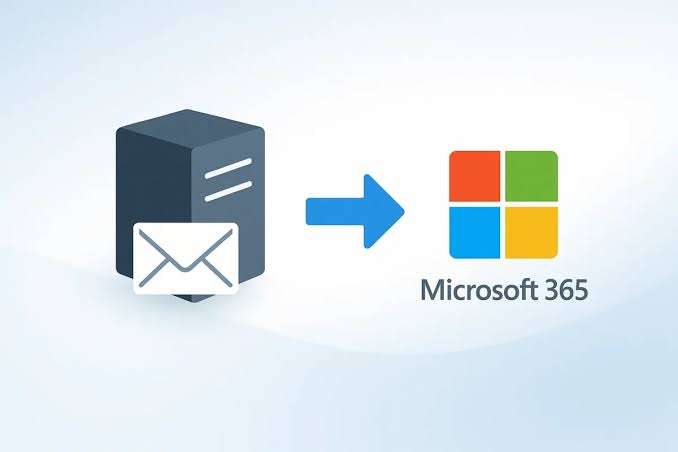
Migration from Exchange to Microsoft 365.

We move email from Exchange Server to Exchange Online. We review mailboxes, identities, domains and connectivity requirements to define the migration strategy, taking account of the existing configuration and the services that need to remain available during the transition.

Request Exchange migration Explore the migration process

Professionals meeting around a working table

We analyse the Exchange version and configuration, mailboxes and identity dependencies. We select the transition method and coordinate DNS, email clients and testing in Exchange Online, establishing which preparation and checks are needed before users move to the new email environment.

Migration from Exchange Server to Microsoft 365 can include user mailboxes, email, calendars, contacts, folders, attachments, shared mailboxes, aliases, distribution lists, permissions and other elements of business email. The scope needs to identify both the information being transferred and the configuration or access arrangements required in the destination.

The actual scope depends on the Exchange version, environment configuration, selected migration method and business requirements. A cutover migration for a small organisation differs from a phased hybrid migration for a business with many users, several offices or coexistence requirements. These factors influence preparation, sequencing, user communication and the way the result is validated.

We also review factors that may affect the project, including Outlook, mobile devices, shared mailboxes, groups, archiving, rules, delegated permissions, certificates, connectors, mail flow, antispam, DNS and security policies. The review helps identify dependencies that need attention alongside the transfer of mailbox content into Exchange Online.

  • User mailboxes: email, folders, attachments, calendars and contacts included in the mailbox migration scope.
  • Shared mailboxes: departmental mailboxes, permissions and delegated access required by the users who work with them.
  • Aliases and addresses: primary and secondary addresses, together with the continuity requirements associated with their use.
  • Calendars and contacts: data associated with mailboxes and the everyday use of Outlook for meetings, scheduling and communication.
  • Mail flow: connectors, MX, SPF, DKIM and DMARC records, together with the routing of messages between services.
  • Clients and devices: Outlook, Outlook on the web, mobile devices and applications connected to the email environment.

Exchange to Microsoft 365 migration can follow several routes. The appropriate option depends on the Exchange Server version, mailbox count, environment complexity, available time, required coexistence and whether the business wants to move everything at once or in phases. We review these requirements before choosing the method and defining the preparation needed for the project.

In a cutover migration, all mailboxes move to Microsoft 365 in a concentrated process. It can suit smaller or medium-sized environments that want to transfer all email within a controlled window and stop using on-premises Exchange after the change. The source requirements and readiness of the destination still need to be assessed before selecting this route.

In a hybrid migration, on-premises Exchange Server and Exchange Online coexist for a period. This strategy is often more suitable for complex environments, coexistence requirements, phased migration, shared administration or projects where moving everything at once is inappropriate. The design needs to account for the services operating across both environments during the transition.

There is also a minimal hybridapproach, intended to simplify a faster mailbox migration from Exchange Server to Microsoft 365 where the scenario supports it. Before selecting a route, we review requirements, compatibility, versions, certificates, the directory, DNS and the business’s actual needs, so that the chosen configuration fits the planned migration and period of coexistence.

The first critical point is understanding the actual condition of Exchange. We review the version, updates, certificates, external connectivity, Autodiscover, directory, users, mailboxes, sizes, permissions, connectors and mail flow. Existing problems in Exchange can complicate migration if they are not identified beforehand, so the assessment establishes which issues need attention before transfer begins.

The second critical point is the domain and mail flow. Migration requires a plan for when the MX record changes, how SPF, DKIM and DMARC are handled, what happens to connectors, how messages are routed and how sending and receiving will be validated afterwards. These activities need to be coordinated with the mailbox transition.

The third critical point is the user experience. Employees may need to reconfigure Outlook, sign in again, validate mobile devices, review shared calendars, check delegated mailboxes and become familiar with Exchange Online in Microsoft 365. The project needs to prepare users for these steps and define the support available after the change.

Implementation is organised into the following phases. The activities, dependencies and checks for each stage are defined within the scope agreed for the project and the environment involved.

  1. Assessment: review of Exchange Server, mailboxes, the domain, DNS, certificates and the connectivity needed for migration.
  2. Inventory: users, mailboxes, sizes, permissions, groups, aliases and services that depend on the existing email environment.
  3. Migration plan: cutover, hybrid, minimal hybrid or a phased strategy, selected according to the environment and project requirements.
  4. Preparing Microsoft 365: users, licences, Exchange Online, security and the domain configuration required in the destination before transfer.
  5. Pilot migration: migration of selected mailboxes to validate transfer times and the experience of users in the destination.
  6. Main migration: transfer of mailboxes, calendars, contacts and the data defined within the scope agreed for the project.
  7. Final cutover: DNS, mail flow, Outlook, mobile devices and the user validation activities required during the transition.
  8. Validation: sending, receiving, shared mailboxes, calendars, contacts and permissions in the migrated Exchange Online environment.
  9. Ongoing support: help for users, incident handling, documentation and recommendations for administering the new email service.

Before migration starts, it is important to define which mailboxes will move, which domains will be used, which shared mailboxes exist, which permissions should be retained, which users will take part in the pilot and which applications depend on the current email service. This establishes the work needed beyond transferring mailbox content.

Internal communication also needs preparation. Users should know when their mailbox will migrate, when to close Outlook, whether they need to sign in again, how to access email through Outlook on the web, what will happen to their mobile devices and whom to contact if they find a problem after the move.

After migration, the environment needs to be operational and validated. We review sending and receiving, migrated mailboxes, calendars, contacts, delegated permissions, shared mailboxes, Outlook, mobile devices, DNS, authentication records and general Exchange Online configuration. These checks assess the result against the information, access arrangements and services included in the project scope.

We agree the scope, responsibilities and priorities with your team. We document the work and the checks carried out. Any additional requirement is assessed before it is incorporated into the project or the support service, so that the implications for the agreed work are understood.

We answer common questions about moving from on-premises Exchange Server or other Exchange environments to Microsoft 365. We also include links to official documentation for further technical detail, so that migration methods, compatibility and preparation requirements can be reviewed before the project approach is agreed.

It is the process of transferring mailboxes, email, calendars, contacts and email configuration from an Exchange environment to Exchange Online, the business email service included in Microsoft 365. The project considers the source configuration, selected migration method and the access arrangements needed by users after the move.

Microsoft summarises the main migration options in its official documentation on ways to migrate email to Microsoft 365.

Exchange Server is the email platform installed on on-premises servers or infrastructure managed by the organisation. Exchange Online is the cloud email service provided as part of Microsoft 365 and administered through the cloud platform.

Moving to Exchange Online reduces the business’s dependence on the on-premises server and moves administration of mailboxes, email and related services to Microsoft 365. The project still needs to account for identities, clients, domains and any systems that depend on the existing email environment.

A cutover migration moves all Exchange mailboxes to Microsoft 365 in a concentrated process. It can suit organisations that want to transfer all email within a controlled window, provided the source environment meets the requirements and the destination is prepared for users, domains and the resulting mail flow.

Microsoft documents this method in its official guide to migrating email to Exchange Online using a cutover migration.

A hybrid migration allows on-premises Exchange Server and Exchange Online to coexist for a period. It is useful where migration needs to be phased, coexistence retained or a more complex environment managed during transition. The configuration must support the services and identities that continue operating across both environments.

Microsoft explains how a hybrid deployment provides a single organisation experience across on-premises Exchange and Exchange Online in its documentation on Exchange Server hybrid deployments.

Minimal hybrid, also called express migration, is an option in the Exchange Hybrid Configuration Wizard intended for moving mailboxes to Microsoft 365 where a simpler, temporary hybrid configuration is appropriate. Its suitability depends on the source environment and the requirements of the migration rather than being a replacement for every hybrid scenario.

Microsoft describes this option in its official guide to using minimal hybrid to migrate Exchange mailboxes to Microsoft 365.

Yes. When Exchange mailboxes move to Exchange Online, mailbox items normally migrate, including email, calendars and contacts, provided the environment is prepared correctly and the selected method supports the scenario. We review the source first so that the expected scope and any limitations are clear before execution.

Before the project starts, we review mailboxes, folders, shared calendars, delegated permissions, shared mailboxes and any existing source issues that could affect transfer or the way users access their information afterwards.

Shared mailboxes need to be inventoried before migration. We review owners, permissions, delegated access, aliases, actual usage and the users who depend on them. This establishes which access arrangements and email addresses need to be configured and checked when the mailboxes are moved to the destination.

After migration, we validate that authorised users can access those shared mailboxes correctly in Exchange Online, according to the permissions and working arrangements included in the agreed scope.

Timing depends on mailbox count, data size, Exchange version, connection speed, migration method, coexistence requirements, DNS, devices and environment complexity. These factors need to be assessed together before estimating preparation, transfer, cutover and validation of the services included in the project.

After the initial assessment, we can estimate the work by phase. In complex environments, we recommend a pilot, migration in batches and validation before the wider change to the destination tenant.

We plan the migration to reduce interruptions. Much of the environment can often be prepared before the final change, but DNS, mail flow, Outlook, devices and user validation remain sensitive stages. Their timing and dependencies need to be coordinated with the mailbox transfer and communicated to the people involved.

Before the change, we define the window, responsibilities, internal communications and support plan so that the transition and follow-up arrangements are understood by the organisation and its users.

Hybrid migration requires a review of the Exchange version, updates, certificates, connectivity, Autodiscover, identity synchronisation, domains, DNS and administrative permissions. The assessment establishes whether the environment is ready for the selected hybrid approach and which preparation is needed before configuration and mailbox movement can begin.

Microsoft publishes the official requirements in its documentation on Exchange hybrid deployment prerequisites.

After a mailbox moves to Exchange Online, some users may need to close and reopen Outlook, sign in again, update their profile, review mobile devices or validate calendars and shared mailboxes. The activities required depend on the source configuration, clients and migration method used for the project.

We can assist users during this stage to reduce incidents and check that email works correctly in the new environment, including the access arrangements and clients covered by the support scope.

Yes. That scenario is a Microsoft 365 tenant-to-tenant migration, which has different planning requirements from moving on-premises Exchange Server to Microsoft 365. It requires review of the source and destination tenants, identities, domains, permissions and the other services involved in the transition between organisations.

Microsoft provides specific documentation on cross-tenant mailbox migration for moving Exchange Online mailboxes between organisations, according to the requirements and supported scenarios of the cross-tenant migration method.

Yes. After migration, we can help with validation, Outlook configuration, mobile devices, shared mailboxes, permissions, user incidents, DNS reviews and Microsoft 365 administration recommendations. The work is defined around the environment moved and the support requirements agreed for the period following the transition.

We can also provide basic training, guidance on everyday Outlook use and a subsequent Exchange Online review, according to the requirements and scope agreed with the organisation.

Tell us about the current platform, the number of users or resources involved and your priorities. We will review the context to define the next steps and the scope of the proposal for your organisation.

Contact Kloudeal